
Characters · Preview
Build your cast once.
Use it everywhere.
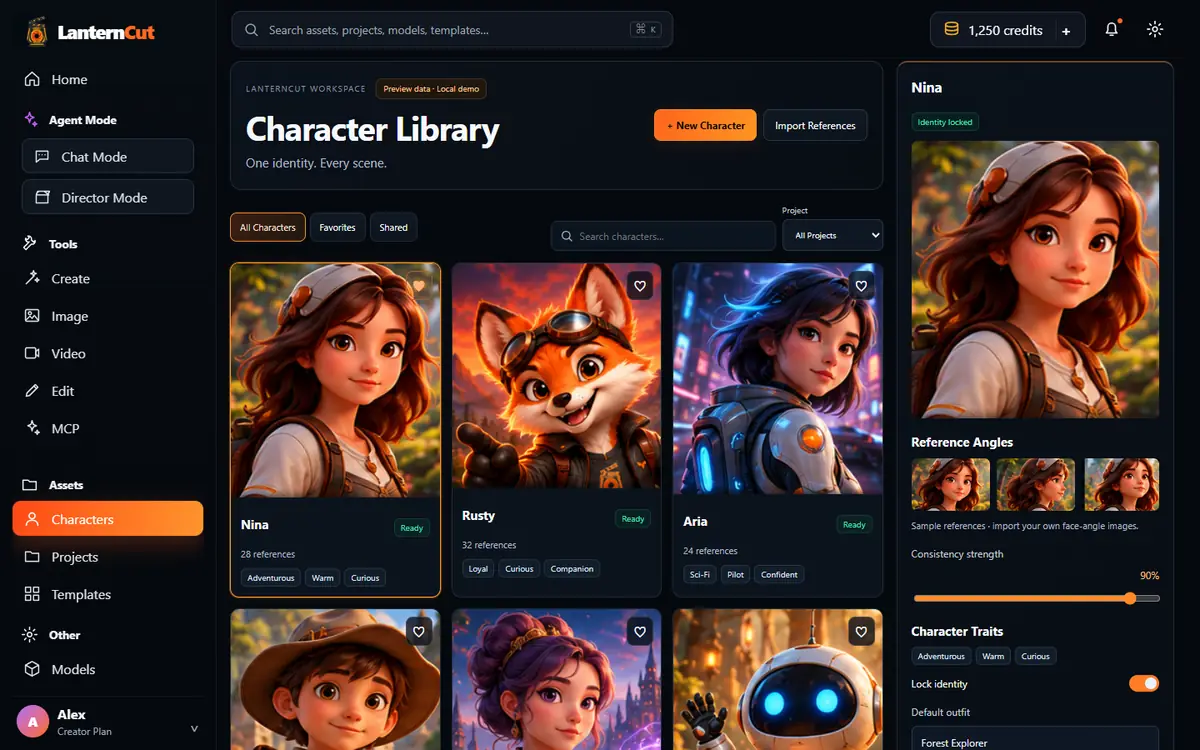
Characters is designed to keep the same people, creatures and mascots recognisable across every image, shot and episode, using reference images and identity settings.
Preview. AI generation is not connected yet. Everything described here is how LanternCut is designed to work; screenshots show the interface preview with sample data.
What it is designed to do
Characters in LanternCut
Reference sheets
Add reference images and angles for each character.
Traits and outfits
Record personality, outfits and style notes the director can use.
Cast into scenes
Drop a character into an image, a shot or a director plan.
Consent first
Only use likenesses you have the right to use. Real people need their consent.
Sample cast





Sample character artwork from the interface preview. Not generated by a connected AI service.
How it works
Four steps.
Consistency will depend on the model used. We will publish what we have tested, not promises, once generation is live.
Create a character
Name it and add reference images.
Describe it
Add traits, outfits and a style.
Reuse it
Pick it in Image, Video or the director.
Keep it consistent
Adjust identity strength per scene.
Simple · Creator · Pro
Same tool, three levels.
Switch level inside the workspace. Levels are interface depth, not prices.
| Simple | Creator | Pro |
|---|---|---|
| Pick a character for a scene | Reference angles, traits and outfits | Identity strength and advanced reference controls |
Questions
Questions about Characters
Will characters look exactly the same every time?
We are not making consistency claims until we have tested them on the live product. The tools are designed to help, and results will vary by model.
Can I make a character from a real person?
Only with that person's consent, and never for deceptive or sexual content. See likeness and consent.
Try LanternCut with a demo account.
When generation goes live, the demo account gives you 1 image and 1 five-second video on LanternCut Open models. Until then, explore the interface preview.